App Review Escalation Matrix for Mobile Teams
Build an app review escalation matrix that helps support, product, and engineering respond faster to critical feedback and protect app ratings.

If your team handles app reviews without a clear escalation path, urgent issues can sit in a queue while ratings drop in public. An app review escalation matrix gives support, product, and engineering one shared decision model for what gets escalated, to whom, and how fast.
This guide gives you a practical matrix, response rules, and a 30/60/90-day rollout plan so you can move from reactive replies to operational control.
Contents
- What an app review escalation matrix is (and why it matters)
- Signals that should trigger escalation
- Decision table: what to escalate, who owns it, and SLA targets
- Step-by-step workflow for daily triage
- Practical response rewrites for high-risk scenarios
- What to avoid in escalation workflows
- 30/60/90-day implementation framework
- Escalation checklist for team leads
- FAQ
What an app review escalation matrix is (and why it matters)
An app review escalation matrix is a ruleset that maps review severity to response ownership and response-time targets.
Snippet answer: An app review escalation matrix helps mobile teams classify risky reviews fast, route them to the right owner, and respond within pre-defined SLAs before ratings and trust decline.
Without a matrix, most teams have three predictable issues:
- No consistent threshold for “urgent” reviews
- Escalations depend on individual judgment and availability
- Product incidents surface too late from repeated user complaints
For App Store and Google Play operations, delayed escalation can compound quickly because review volume can spike after release days, billing incidents, or onboarding regressions.
A good matrix does not make every review urgent. It helps you protect response quality while concentrating fast escalation on high-risk cases.
Signals that should trigger escalation
Most teams over-index on star ratings alone. Star rating matters, but escalation quality improves when you score both impact and urgency.
Core trigger categories
Use these trigger classes in your review management workflow:
- Access blockers: login failure, account lockout, onboarding dead-end
- Revenue risk: payment errors, subscription confusion, refund disputes
- Stability risk: crash loops, launch failures, severe performance degradation
- Trust/safety risk: privacy concern, data loss claim, policy concern
- Reputation risk: viral social amplification, repeated 1-star cluster on same issue
Source-backed signals to track
Use official platform signals and release context, not intuition alone:
- Volume of new low-star reviews in 24 hours
- Repeated keywords across markets/locales
- Time since first similar complaint
- Release version correlation
Evidence references:
- Apple App Store review guidelines: https://developer.apple.com/app-store/review/guidelines/
- Apple ratings and reviews overview: https://developer.apple.com/app-store/ratings-and-reviews/
- Google Play ratings and reviews practices: https://play.google.com/console/about/reviews/
- Android in-app review guidance: https://developer.android.com/guide/playcore/in-app-review
- NIST incident handling lifecycle: https://csrc.nist.gov/publications/detail/sp/800-61/rev-2/final
Treat platform docs as your policy baseline, then layer your team-specific thresholds.
Decision table: what to escalate, who owns it, and SLA targets
This is the core table your team can adopt immediately.
| Severity tier | Trigger examples | Escalate to | First public reply target | Internal escalation target | Resolution follow-up |
|---|---|---|---|---|---|
| Tier 1 (Critical) | Payment failure, account lockout, crash on launch, suspected data issue | Incident owner + support lead + engineering on-call | 2 hours | 30 minutes | Daily until closed |
| Tier 2 (High) | Feature unusable, onboarding blocker, severe bug after release | Product manager + engineering owner | 8 hours | 2 hours | Every 48 hours |
| Tier 3 (Medium) | Persistent UX friction, missing feature complaints, regression reports | Product triage owner | 24 hours | 1 business day | Weekly batch update |
| Tier 4 (Low) | Minor suggestions, positive comments, non-blocking concerns | Support/community | 48-72 hours | Optional | Monthly insights review |
SLA design rule
Set two clocks for each tier:
- Public reply SLA: when the user should see acknowledgment
- Internal escalation SLA: when the owning team must be notified
This avoids the common failure mode where the user gets a fast reply but the product issue never reaches engineering.
Team ownership model
For reliable execution, define one named owner per tier:
- Tier 1: support lead + incident commander
- Tier 2: product owner of impacted feature
- Tier 3: voice-of-customer or feedback ops owner
- Tier 4: support queue owner
If ownership rotates, publish the rota weekly.
Step-by-step workflow for daily triage
Use this process in two daily review windows (for example 09:00 and 16:00 local time).
1) Pull and cluster incoming reviews
Group by:
- app version
- locale
- issue keyword
- star band (1-2, 3, 4-5)
Then identify clusters with repeated risk signals.
2) Score severity quickly
Use a simple severity score:
- Impact (1-5): how badly users are blocked
- Urgency (1-5): how quickly issue is spreading
- Confidence (1-3): confidence that issue is real and reproducible
Escalate when:
- impact + urgency >= 7, or
- any trust/safety indicator appears
3) Publish first-response drafts
For Tier 1 and Tier 2, support should publish a specific, non-defensive first response before internal handoff completes.
Good first response pattern:
- acknowledge exact issue
- confirm team is investigating
- give a next action (contact route, update timing, or workaround)
4) Route internal escalation
Create one escalation payload with:
- review IDs / links
- affected version and locale
- top user language quotes
- estimated incident scope
- suggested owner
Avoid one-message-at-a-time escalations. Batch by issue cluster for speed and clarity.
5) Track closure loop
Escalation is not done when routed. It is done when:
- root cause is confirmed or disproven
- user-facing response is updated where relevant
- issue is logged in product/engineering backlog
- learnings are captured in your customer feedback insights process
Practical response rewrites for high-risk scenarios
Use these as templates your team can adapt.
Scenario 1: Billing failure after subscription renewal
Weak reply: “Please contact support.”
Escalation-ready rewrite: “Thanks for flagging this — that renewal charge issue is not expected, and we know it is frustrating. Our billing team is investigating now. Please contact us at [support channel] with your account email so we can verify and resolve this quickly.”
Scenario 2: Crash after latest update
Weak reply: “Try reinstalling.”
Escalation-ready rewrite: “Sorry you are hitting crashes after the latest update. We have escalated this to engineering and are actively investigating. If possible, share your device model and OS version via [support channel] so we can prioritize a fix path for your setup.”
Scenario 3: Account lockout complaint
Weak reply: “Reset your password.”
Escalation-ready rewrite: “You should not be locked out like this, and we are sorry for the disruption. We have escalated your case as urgent. Please message us at [support channel] from the email linked to your account so we can restore access safely.”
Scenario 4: Public trust concern
Weak reply: “That is not true.”
Escalation-ready rewrite: “Thanks for raising this concern. We take account and data integrity seriously, and we are reviewing your report now. Please contact us at [support channel] with details so our team can investigate directly and follow up with concrete next steps.”
What to avoid in escalation workflows
Most escalation systems fail from process drift, not bad intent.
Avoid these patterns:
- No threshold definitions: teams escalate inconsistently, causing noise and misses.
- Single-channel dependency: all escalations depend on one person being online.
- Reply-only mindset: support responds publicly but issue ownership is unclear internally.
- Missing post-incident review: repeated complaint patterns never convert into product fixes.
- Over-automation at Tier 1: generic responses to critical issues can worsen trust.
If you only fix one thing this week, fix threshold clarity first.
30/60/90-day implementation framework
Use this phased rollout to operationalize your app review escalation matrix.
Days 1-30: Baseline and design
- Audit last 60 days of low-star reviews
- Define 4-tier severity matrix and SLA targets
- Assign named owners and backup coverage
- Create first-response templates by risk class
- Start weekly 30-minute review ops sync
Success criteria:
- Matrix documented and shared
- 80%+ of new reviews classified by tier
- Tier 1/2 responses follow standard template
Days 31-60: Instrument and enforce
- Add dashboard metrics: response SLA, escalation SLA, closure time
- Run twice-daily triage routine
- Create escalation payload template for product/engineering
- Introduce root-cause tagging for repeated issues
Success criteria:
- Tier 1 public response median under 2 hours
- Tier 2 public response median under 8 hours
- Escalation handoff quality accepted by engineering leads
Days 61-90: Optimize and scale
- Tune thresholds by false-positive/false-negative review
- Expand process across locales and time zones
- Add monthly insight memo for roadmap planning
- Improve response quality using scenario rewrites
Success criteria:
- SLA adherence stable above 90% for Tier 1/2
- Complaint recurrence reduced for top 3 issue clusters
- Feedback-to-roadmap loop visible in planning rituals
Escalation checklist for team leads
Use this checklist before declaring your process “live”:
- Severity tiers are documented with concrete triggers
- Public response SLA and internal escalation SLA are both defined
- Every tier has a named owner and backup owner
- Tier 1 and Tier 2 response templates are approved
- Twice-daily triage window is scheduled
- Escalation payload format is standardized
- Closure criteria include root cause and backlog logging
- Weekly quality review is active
- Monthly insight report feeds product planning
A documented checklist is the simplest guardrail against workflow drift.
FAQ
What is the difference between review response SLA and escalation SLA?
Review response SLA controls how quickly a user sees a public reply. Escalation SLA controls how quickly the issue reaches the internal owner. You need both to avoid shallow, non-actionable responses.
Should every 1-star review be escalated?
No. Escalate based on severity signals, not star rating alone. A 1-star review about minor preference may stay Tier 3, while a 2-star billing issue can be Tier 1.
How many escalation tiers should mobile teams use?
Four tiers work well for most teams. Fewer tiers blur urgency differences. More tiers add complexity without operational gain unless your volume is very high.
How do we prevent escalation noise?
Use explicit trigger definitions, issue clustering, and a severity scoring rule. Also review false positives weekly and adjust thresholds.
How does this connect to app store review analysis?
Escalation quality depends on good classification and trend tracking. Your matrix should plug into your app store review analysis process so repeated issues surface early.
Where should we start if we have no workflow today?
Start with Tier 1 and Tier 2 only: define triggers, owners, and response templates. Then expand to Tier 3/4 once high-risk handling is stable.
If your team wants a simpler operating layer for triage, ownership, and insight tracking, ReviewFlow can support your review management workflow while keeping response quality consistent.
Save hundreds of hours handling app reviews
See every App Store review in one place, respond faster, and turn feedback into clear product decisions.
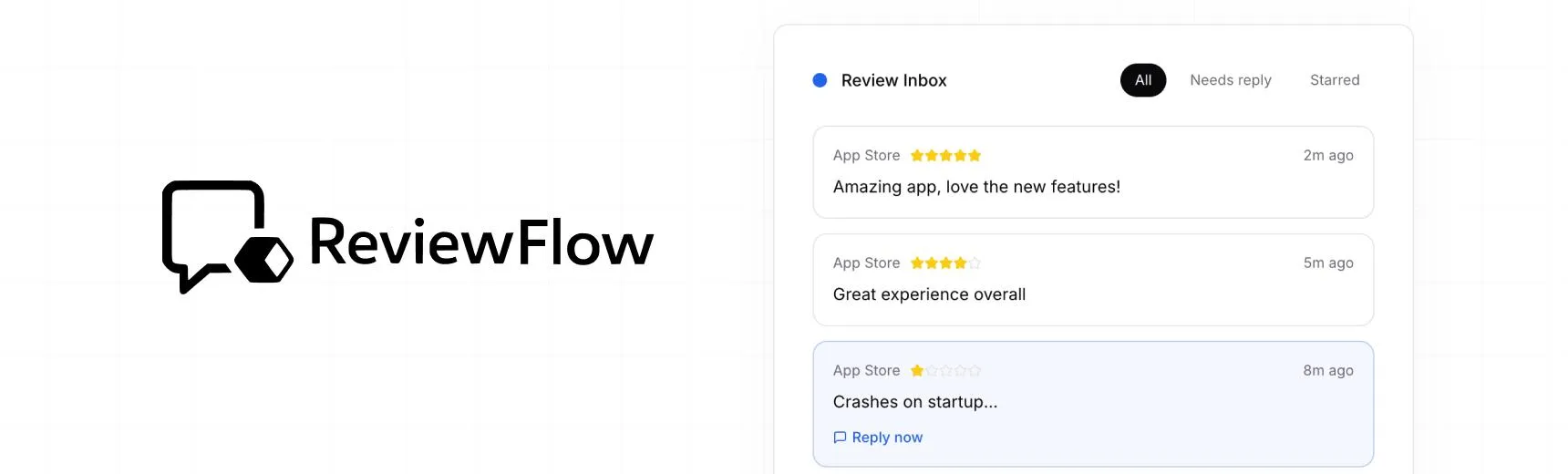
With ReviewFlow
AI-assisted workflow for faster review operations.
- Auto-cluster similar reviews (no manual tagging)
- Chat with your reviews using AI
- Reply with custom templates and bulk replies
- Draft responses faster with a consistent tone

Manual workflow
Time-consuming review handling with manual synthesis.
- Read reviews one by one
- Manually spot patterns and trends
- Write each reply from scratch
- Manually synthesize feedback for product handoff