ReviewFlow vs AppFollow: Which Tool Wins for Review Teams?
A practical comparison of ReviewFlow vs AppFollow for review response automation, workflow management, and feedback insights.

ReviewFlow and AppFollow both target app review operations, but they are not optimized for the exact same team workflows.
If your team handles high review volume, the right tool should improve three things quickly: response quality, execution speed, and issue prioritization.
This comparison focuses on those outcomes.
Contents
- Quick answer
- How each platform approaches review management
- Feature comparison for support and product teams
- When AppFollow is the better choice
- When ReviewFlow is the better choice
- How to evaluate both in a real pilot
- FAQ
Quick answer
AppFollow is strong for teams that need mature automation and integrations across review processing at scale. ReviewFlow is strong for teams that want a cleaner review workflow focused on turning feedback into concrete support and product actions.
How each platform approaches review management
Based on AppFollow’s public platform pages, AppFollow emphasizes AI-powered review replies, workflow automation, semantic analysis, auto-tagging, and integrations with systems like Slack/Zendesk/Tableau/API.
ReviewFlow is positioned around practical review operations: triage, response consistency, issue detection, and product-facing insight loops without heavy process overhead. It also includes AI-assisted reply generation for faster draft responses.
Both can support review management, but with different operational feel.
Feature comparison for support and product teams
| Area | ReviewFlow | AppFollow |
|---|---|---|
| Product orientation | Focused review workflow execution | App reputation management platform with strong automation layer |
| Response operations | Template-driven quality, AI-assisted reply generation, and fast handling | AI reply generation, bulk/automation workflows, auto-tags |
| Feedback analysis | Recurring issue detection aimed at actioning | Semantic analysis, summaries, categorization |
| Integrations | Practical workflow integrations for operational teams | Broad integration emphasis (Slack, Zendesk, Tableau, webhook/API) |
| Team fit | Lean support + product teams needing clarity and speed | Teams with heavier support automation requirements |
| Complexity profile | Lower | Can be broader/deeper depending on implementation scope |
When AppFollow is the better choice
AppFollow is usually better when:
- you need advanced automation rules immediately
- integration depth with existing support stack is critical
- your team already operates at very high review support volume
When ReviewFlow is the better choice
ReviewFlow is usually better when:
- your team wants faster rollout with less operational complexity
- you need a clear review-to-product decision path
- response quality consistency matters as much as automation
For many teams, the deciding factor is not raw automation power, but day-to-day execution quality.
How to evaluate both in a real pilot
Run a 14-day side-by-side pilot on the same review volume.
Track:
- median response time
- % reviews replied within SLA
- QA quality score of replies
- time from recurring issue detection to internal escalation
Pick the tool that produces better weekly operating results, not the tool with the longest feature list.
FAQ
Is AppFollow only for support teams?
No. Its public positioning includes ASO and app reputation workflows, not only customer support.
Does ReviewFlow support reusable templates and AI reply drafts?
Yes, ReviewFlow supports creating and reusing templates across review replies, plus AI-assisted reply generation to speed up drafting while preserving consistency.
Can both tools work for global apps?
Yes, but teams should validate language workflows, translation quality, and regional operational reporting during a pilot.
If your immediate goal is execution speed with strong response quality, choose the tool that reduces operational friction for your current team setup.
Save hundreds of hours handling app reviews
See every App Store review in one place, respond faster, and turn feedback into clear product decisions.
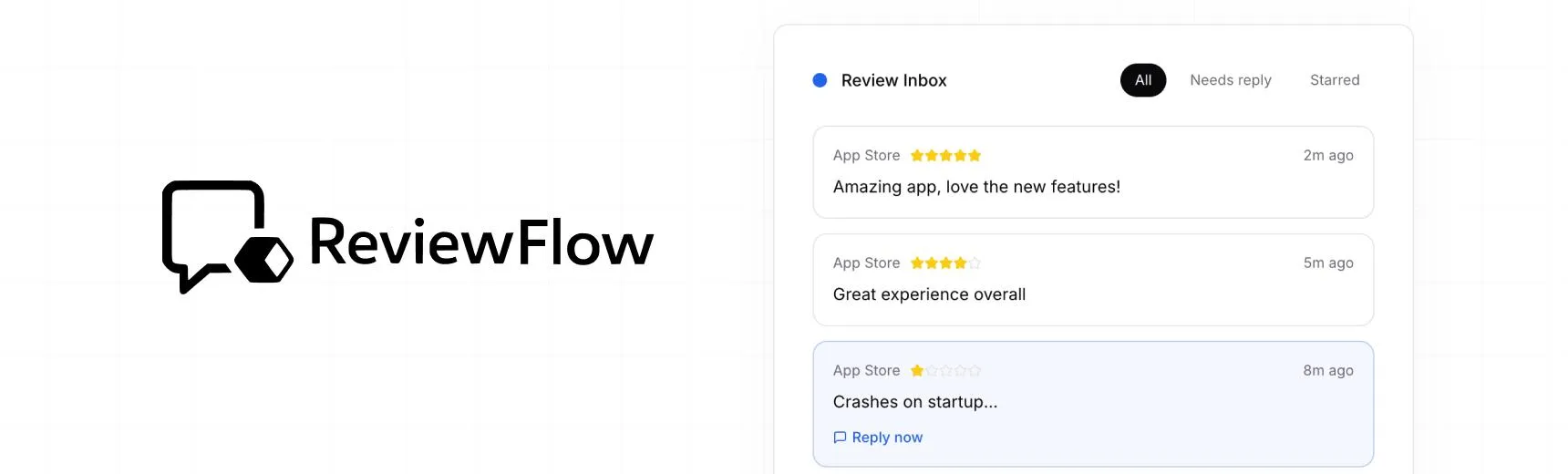
With ReviewFlow
AI-assisted workflow for faster review operations.
- Auto-cluster similar reviews (no manual tagging)
- Chat with your reviews using AI
- Reply with custom templates and bulk replies
- Draft responses faster with a consistent tone

Manual workflow
Time-consuming review handling with manual synthesis.
- Read reviews one by one
- Manually spot patterns and trends
- Write each reply from scratch
- Manually synthesize feedback for product handoff