App Review Response Time Benchmark: SLA Playbook for Mobile Teams
Use practical response-time benchmarks and SLA targets to answer app reviews faster, reduce churn risk, and improve public trust in your app listing.

Most teams know they should reply to app reviews quickly, but very few have a clear service level target.
Without an SLA, response speed depends on who is online, how busy support is, and whether someone notices a spike in negative ratings. That creates inconsistent customer experience and avoidable churn risk.
This guide gives you a practical app review response time benchmark and a step-by-step SLA playbook you can implement in one quarter.
Contents
- Why response time matters more than most teams think
- App review response time benchmark by team maturity
- How to set an SLA that your team can actually hit
- SLA model: severity-based response targets
- Operating model: who owns what
- 90-day rollout plan
- What to avoid when improving response speed
- FAQ
Why response time matters more than most teams think
App reviews are not only feedback. They are public proof of how your team treats users after a problem happens.
A fast and useful reply does three things:
- It helps the original reviewer feel heard.
- It signals professionalism to prospective users reading your listing.
- It surfaces incident patterns early for product and engineering.
When response times drift above a few days, teams usually see three operational symptoms:
- repeated complaints about the same issue
- support escalations rising after releases
- weaker trust in review channels internally
If the team can reply quickly but with low quality, that also fails. The target is reliable speed with consistent quality.
App review response time benchmark by team maturity
You do not need a perfect benchmark from day one. You need a realistic target that improves over time.
Here is a practical baseline for mobile app teams:
| Team maturity | Median response target | P90 response target | Coverage target |
|---|---|---|---|
| Early-stage (<1k reviews/month) | <24h | <48h | >80% |
| Growth-stage (1k–10k/month) | <12h | <24h | >90% |
| Scaled (>10k/month, multi-locale) | <6h | <12h | >95% |
If you currently answer in 72+ hours, the first milestone is simple: bring median time below 24h for negative reviews.
Quick benchmark rule
Start with this: 1–2 star reviews should receive a first response within 12 hours, 7 days/week.
That single rule produces immediate trust gains and reduces backlog anxiety.
How to set an SLA that your team can actually hit
Teams fail with SLAs when they choose aggressive numbers without resourcing or clear ownership.
Use this sequence:
1) Measure your real baseline
Track 30 days of:
- median first-response time
- 90th percentile first-response time
- response coverage by star rating
- backlog older than 24h
2) Segment by risk
Not every review needs the same urgency. Segment by:
- star level (1–2, 3, 4–5)
- issue class (billing, crash, account access, UX friction)
- market/language
3) Set two numbers, not one
Use median + P90. Median alone hides tail failures.
4) Add quality guardrails
Define minimum quality requirements:
- acknowledges user issue specifically
- gives next step or troubleshooting path
- avoids defensive or generic wording
5) Tie SLA to weekly review ops
Run a weekly operating review with support + product to inspect misses and top complaint clusters.
SLA model: severity-based response targets
A severity model keeps effort focused where user risk is highest.
| Severity | Typical signals | First response SLA | Owner |
|---|---|---|---|
| Sev-1 | payment failures, login lockout, crash on launch | 2–6h | Support lead + incident owner |
| Sev-2 | major feature broken, onboarding blockers | <12h | Support ops |
| Sev-3 | usability pain, feature requests, minor bugs | <24h | Support specialist |
| Sev-4 | neutral/positive comments | 24–72h (optional at scale) | Community/support |
This approach improves speed without forcing identical urgency for every message.
Operating model: who owns what
Speed improves when ownership is explicit.
Support operations
- triage incoming reviews
- assign severity and intent tags
- publish approved response templates
Product management
- review weekly issue clusters
- convert recurring patterns into roadmap inputs
- close loop on fixed issues with updated templates
Engineering
- validate incident signatures from review text
- provide workaround language for known bugs
Growth/ASO
- monitor listing sentiment and rating trend
- flag release periods requiring higher staffing
90-day rollout plan
Use a phased rollout instead of a single “big bang.”
Days 1–30: Visibility and baseline
- instrument response-time and coverage metrics
- create severity taxonomy and triage rules
- document current bottlenecks by locale and time window
Days 31–60: Workflow and execution
- launch SLA dashboard with daily alerts
- introduce response templates by issue class
- define escalation path for Sev-1/Sev-2 reviews
Days 61–90: Optimization and governance
- tune staffing based on volume patterns
- refine templates with QA scorecards
- run weekly SLA miss review and publish action log
Checklist: minimum SLA stack for app review teams
- Response-time tracking (median + P90)
- Coverage tracking by star rating
- Severity-based triage framework
- Template library by issue class
- Daily backlog alert for >24h negative reviews
- Weekly ops review with support + product
If this checklist is incomplete, your SLA likely depends on heroics, not process.
What to avoid when improving response speed
- Chasing speed only: Faster but generic responses can still damage trust.
- No weekend coverage: Negative reviews often spike outside business hours.
- One-size-fits-all targets: Billing incidents and feature requests should not share the same SLA.
- No escalation path: Sev-1 items stall when ownership is unclear.
- Ignoring language markets: Response delays are often worst in secondary locales.
Conclusion
A practical app review response time benchmark gives your team a shared standard instead of reactive firefighting.
Start with clear severity tiers, enforce median + P90 targets, and run a weekly review rhythm. Within one quarter, most teams can cut response delays dramatically while improving answer quality.
If you want to operationalize this quickly, ReviewFlow helps teams centralize triage, track SLA performance, and maintain response quality across markets.
FAQ
What is a good app review response time benchmark?
For most mobile teams, a solid baseline is under 24 hours median response time, with 1–2 star reviews answered within 12 hours.
Should all reviews have the same SLA target?
No. Use severity-based targets. High-risk issues like billing or login failures should have faster response windows than low-risk feedback.
Which metric matters more: median or average response time?
Median is better than average for daily operations. Add P90 to catch long-tail delays that harm trust.
How can small teams improve response time without hiring immediately?
Start with severity triage, reusable templates, and daily backlog alerts. These changes often reduce response delays before additional headcount is needed.
How often should teams review SLA performance?
Review it weekly with support and product. Weekly cadence is fast enough to correct process issues before they become chronic.
Save hundreds of hours handling app reviews
See every App Store review in one place, respond faster, and turn feedback into clear product decisions.
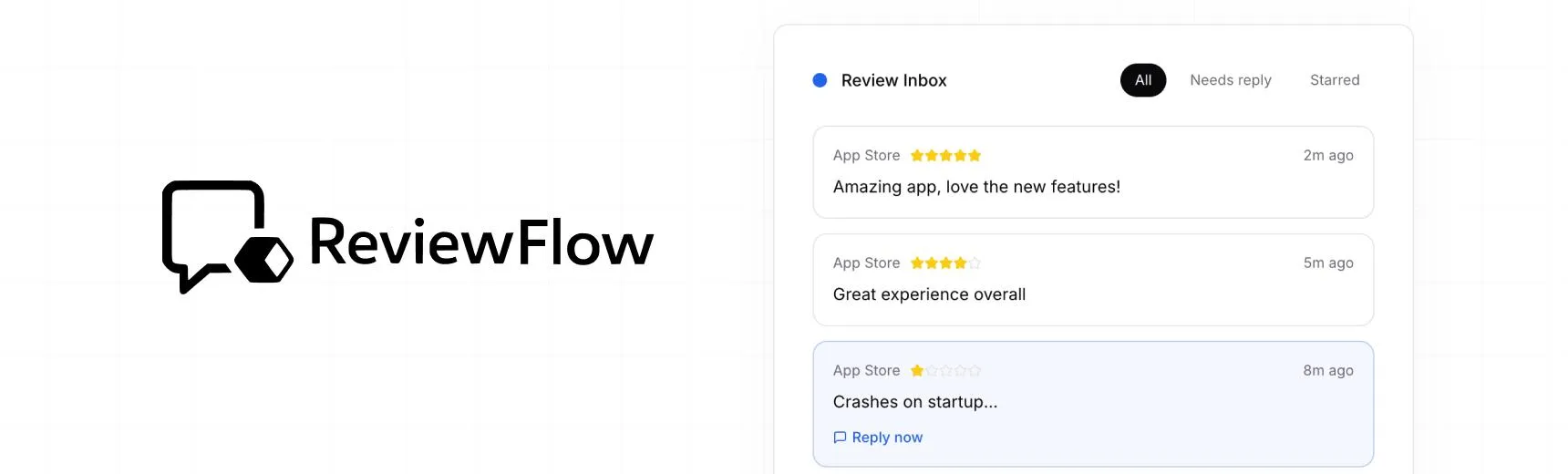
With ReviewFlow
AI-assisted workflow for faster review operations.
- Auto-cluster similar reviews (no manual tagging)
- Chat with your reviews using AI
- Reply with custom templates and bulk replies
- Draft responses faster with a consistent tone

Manual workflow
Time-consuming review handling with manual synthesis.
- Read reviews one by one
- Manually spot patterns and trends
- Write each reply from scratch
- Manually synthesize feedback for product handoff