App Store Review Automation: What to Automate vs Keep Human
Learn which parts of app review management to automate and which decisions should stay human for quality, trust, and speed.

Automation can improve App Store review operations fast, but only if you automate the right layer. Teams that automate judgment instead of workflow usually create generic replies, miss sensitive risk, and lose user trust.
This guide explains exactly what to automate, what to keep human, and how to build a hybrid model that scales without sounding robotic.
Contents
- Why app store review automation fails when done blindly
- Automation decision principles
- What to automate first
- What must stay human
- Comparison table: automate vs human review
- Checklist: hybrid workflow playbook
- What to avoid
- Practical scenarios and response rewrites
- Implementation framework: 30-60-90 days
- FAQ
Why app store review automation fails when done blindly
App reviews contain emotion, context, and legal/trust implications. A model can classify and draft at scale, but it cannot always infer intent or business risk reliably without guardrails.
Blind automation fails in three ways:
- Context collapse: all complaints treated as equal.
- Tone drift: responses become repetitive and dismissive.
- Risk leakage: privacy, billing, and security complaints go public with weak handling.
The goal is not “fully automated.” The goal is “faster decisions with human accountability where stakes are high.”
Automation decision principles
Use four rules:
- Automate repetitive, high-volume, low-ambiguity tasks.
- Keep human control for high-ambiguity or trust-critical tasks.
- Treat public reply publishing as a controlled output.
- Measure quality impact, not just speed gains.
Snippet-ready answer
App Store review automation should optimize classification, routing, and drafting; humans should own final judgment for sensitive or high-impact cases.
What to automate first
Ingestion and normalization
Automate data collection, language normalization, deduplication, and metadata enrichment (app version, country, device when available).
Theme clustering and urgency tagging
Use NLP classification to group similar complaints and tag likely urgency classes:
- blocker (login/payment/crash)
- degraded experience
- feature confusion
- praise/request
Draft generation with constrained templates
Generate first drafts tied to issue taxonomy. Force structure: acknowledge issue, show ownership, provide next step, offer support channel.
Routing and escalation triggers
Automate assignment based on rules. Example: payment issues route to billing queue; privacy mentions route to trust lead.
SLA and QA monitoring
Auto-flag stale queues and responses that fail policy checks (missing action step, vague apology-only reply, prohibited phrasing).
What must stay human
Final publish approval for high-risk categories
Keep a human gate for:
- billing disputes
- privacy/security concerns
- legal claims
- repeated unresolved complaints
- emotionally charged language
Escalation prioritization tradeoffs
Automation can rank severity; humans decide roadmap impact against capacity and strategy.
Tone and empathy calibration
Humans catch nuance, sarcasm, and brand-sensitive context better than models in edge cases.
Exception handling
When a user reports mixed issues or unclear facts, humans should ask targeted follow-up rather than pushing template replies.
Comparison table: automate vs human review
| Workflow step | Best owner | Why | Guardrail |
|---|---|---|---|
| Review collection and deduplication | Automation | High volume, deterministic | Data completeness checks |
| Sentiment + theme tagging | Automation (with audits) | Fast triage | Weekly precision review |
| First-draft response creation | Automation | Cuts handling time | Approved template constraints |
| Public reply publish | Human for high-risk; auto for low-risk with QA | Protects trust | Risk-tier policy |
| Incident escalation decision | Human | Requires business judgment | Evidence pack required |
| Weekly quality calibration | Human-led | Aligns tone and standards | Sample-based scorecard |
This split maximizes speed while controlling trust risk.
Checklist: hybrid workflow playbook
- Define risk tiers (low, medium, high) and publish rules
- Build issue taxonomy with examples per cluster
- Configure automated ingestion, clustering, and queue routing
- Enforce structured draft template in all auto-generated replies
- Require human approval for high-risk tiers
- Audit at least 30 replies weekly for quality and policy adherence
- Track rewrite rate and escalation miss rate
- Tune prompts/rules based on failure patterns
What to avoid
- Auto-publish everything to chase response speed.
- Over-generic templates that erase specificity.
- No fallback path when model confidence is low.
- Ignoring false positives in urgency tagging.
- Treating response time as sole KPI while quality declines.
- Hiding automation failures from support leads.
Automation should reduce operational burden, not outsource responsibility.
Practical scenarios and response rewrites
Scenario 1: Model drafted a vague apology
Weak draft: “Sorry for inconvenience. Please contact support.”
Rewrite: “You’re right to flag the repeated login timeout after update 4.8. We’re investigating this as a priority. Please update to 4.8.1 and retry. If it still fails, send device model + OS to support so we can resolve your account access quickly.”
Scenario 2: Sensitive billing claim auto-routed as low urgency
Fix the rule: any review with refund, charged twice, unauthorized payment, or subscription cancellation failure should auto-escalate to high risk with human response approval.
Scenario 3: Team debates full auto-publish for all 3-star reviews
Use evidence. If rewrite rate exceeds 20% or QA score drops, do not expand auto-publish scope. Quality gates come first.
Implementation framework: 30-60-90 days
Days 1-30: Foundation
- Establish taxonomy, risk policy, and reply standards
- Automate ingestion and clustering
- Deploy structured drafting for two issue categories
Success metric: at least 80% of incoming reviews auto-categorized with acceptable precision.
Days 31-60: Controlled scaling
- Expand categories and routing rules
- Launch risk-tier approval workflow
- Introduce QA scorecard and weekly calibration
Success metric: median response time down 25% without QA score decline.
Days 61-90: Optimization
- Add confidence-based fallback routing
- Automate SLA alerts and escalation summaries
- Tune prompts/rules from audit data
Success metric: lower rewrite rate, fewer escalation misses, stable trust sentiment.
ReviewFlow can help orchestrate clustering, draft workflows, and approval policies, but process clarity is what protects outcomes.
Quality controls for sustainable automation
Automation programs fail quietly when teams only track throughput. Add quality controls from day one.
Calibration loop
Run a weekly calibration with support, product, and trust stakeholders:
- Review false urgency tags
- Inspect auto-drafted replies with highest rewrite rates
- Flag tone misfires in sensitive categories
- Update rules and templates based on observed failures
Document every rule change and expected effect. Without versioning, teams cannot attribute improvements.
Confidence-aware routing
Not all model outputs deserve the same treatment. Define confidence tiers:
- High confidence, low risk: auto-draft with optional lightweight approval
- Medium confidence: mandatory human review
- Low confidence or conflicting signals: route to specialist queue
This prevents brittle automation and protects edge cases.
KPI stack that prevents false wins
Track these together:
- Median response time
- Publish-ready draft rate
- Manual rewrite rate
- Escalation miss rate
- Complaint recurrence for top issues
- Trust-risk sentiment trend
If speed improves but recurrence worsens, automation is masking unresolved product issues.
Policy design for public replies
Public responses should follow non-negotiable rules:
- never speculate on causes not yet confirmed
- never dismiss user experience
- never expose sensitive account details in public channels
- always provide actionable next steps
Build policy checks into drafting prompts and pre-publish validation.
Organizational rollout advice
Start narrow. Pick two high-volume, lower-risk issue classes and prove quality retention before wider rollout. Share before/after data with teams to build confidence.
Automation adoption improves when agents feel supported, not replaced. Involve frontline support in template and rule design; they see failure modes first.
When done right, app store review automation creates a faster and calmer operation where humans focus on judgment and models handle repetition.
Extended operational deep dive
At scale, the difference between average and excellent execution is not a better sentence template. It is operational discipline repeated across weeks. Teams that win here build clear ownership, short feedback loops, and post-release accountability.
First, define which decisions must happen daily versus weekly. Daily decisions are response and escalation actions. Weekly decisions are prioritization and quality calibration. Mixing these rhythms causes confusion: either teams overreact to hourly noise or react too slowly to recurring patterns.
Second, make evidence portable. Whether you are discussing response quality, complaint clusters, or roadmap candidates, each item should carry the same minimum evidence pack: representative examples, affected cohorts, trend direction, and expected impact. Portable evidence prevents context loss during handoffs and helps leadership trust recommendations.
Third, audit process drift. Over time, teams quietly deviate from standards when volume increases or staffing changes. Add a recurring drift review:
- Which standards are most frequently skipped?
- Which response or prioritization steps are delayed?
- Which thresholds trigger too many false alarms?
- Which owners are overloaded and need role adjustments?
Fourth, protect language quality. Public-facing communication should remain clear and respectful even under pressure. Build a shared phrase library with approved patterns and banned patterns. Approved patterns should acknowledge specific user impact, show ownership, and offer practical next steps. Banned patterns should include empty apologies, defensive phrasing, and vague “contact support” endings without context.
Fifth, close loops after interventions. If you escalate an issue and ship a fix, measure whether the target complaint theme actually declined. If not, investigate whether root cause was misidentified, fix scope was too narrow, or communication left users without clear remediation. This post-intervention validation step is where many teams fail; they assume shipment equals resolution.
Sixth, document tradeoffs explicitly. Not every high-frequency complaint should become immediate top priority. Some items may have lower strategic value or disproportionate implementation cost. Explicitly recording why an item is scheduled, delayed, or rejected improves organizational memory and reduces repeated debates in future planning cycles.
Seventh, align incentives. If support is rewarded only for speed while product is rewarded only for feature output, review-derived improvements stall. Shared outcome metrics—such as recurrence reduction, trust sentiment recovery, and time-to-owner assignment—encourage cross-functional behavior.
Finally, keep the system humane. Templates and automation help, but users experiencing failures want to feel understood. Operational excellence should make responses faster and more useful, not colder. Teams that combine precision with empathy usually outperform teams that optimize one at the expense of the other.
Long-term, this discipline compounds. Better responses improve trust, better triage improves prioritization, and better prioritization improves product quality. Over time, review channels shift from being a stress source to becoming one of the most reliable sources of market truth.
Additional execution notes
One practical way to keep this system effective is to schedule a monthly failure review. Pick the top three cases where your process produced weak outcomes, then inspect each stage: detection, classification, response decision, escalation quality, and post-action measurement. In many teams, the root issue is not intent but unclear handoffs.
Create explicit service-level agreements between functions. Support should know when product must respond; product should know when engineering needs incident-level prioritization; leadership should know what evidence is required before changing roadmap order. Clear contracts reduce escalation friction and improve decision speed without sacrificing quality.
Also maintain a compact dashboard of process health metrics: percentage of items with complete evidence packs, percentage of decisions documented with rationale, and percentage of interventions with post-action validation completed. These operational metrics are often better predictors of long-term quality than single-cycle output numbers.
Finally, protect continuity during staffing changes. Keep runbooks current, store examples of strong decisions, and document threshold rationale. Systems that depend on one expert usually degrade when that person is unavailable. Durable documentation keeps quality stable.
FAQ
Can we automate final replies for all reviews?
Only for low-risk categories with strong QA checks. High-risk topics should keep human approval.
What KPI proves automation success?
Use a balanced set: response speed, QA score, rewrite rate, escalation miss rate, and recurrence of unresolved complaints.
How often should we audit automated replies?
Weekly at minimum. Daily during rollout or after major prompt/rule changes.
Is sentiment analysis enough for triage?
No. Sentiment helps, but urgency depends on issue type, user impact, and business risk.
When should we pause automation expansion?
Pause when QA score drops, rewrite rate rises sharply, or trust-critical complaints are misrouted.
Great app store review automation feels invisible to users: faster help, clearer accountability, and better consistency without robotic tone.
Save hundreds of hours handling app reviews
See every App Store review in one place, respond faster, and turn feedback into clear product decisions.
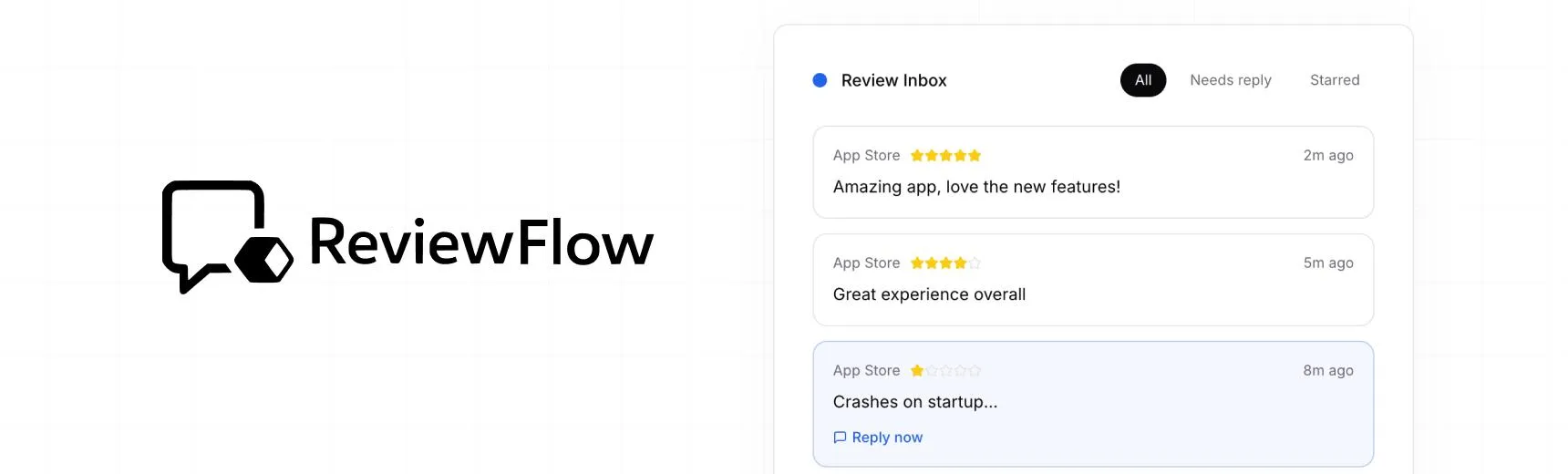
With ReviewFlow
AI-assisted workflow for faster review operations.
- Auto-cluster similar reviews (no manual tagging)
- Chat with your reviews using AI
- Reply with custom templates and bulk replies
- Draft responses faster with a consistent tone

Manual workflow
Time-consuming review handling with manual synthesis.
- Read reviews one by one
- Manually spot patterns and trends
- Write each reply from scratch
- Manually synthesize feedback for product handoff