Customer Feedback Management Platform: Selection Guide
A practical selection guide for mobile teams choosing a customer feedback management platform for product, support, and growth workflows.

A mobile app team usually knows this scene too well. App Store reviews pile up overnight. Support tickets mention the same bug in different words. Slack fills with screenshots from customer-facing teams. Survey comments live in another tool. By the time product managers try to turn all of that into roadmap input, the team is already reacting late.
That’s why a customer feedback management platform matters so much in the app ecosystem. Mobile teams don’t just need a place to collect comments. They need a working system that turns scattered review text, support conversations, and sentiment shifts into decisions the team can trust. In iOS and Android environments, where release cadence is fast and public ratings shape conversion, loose processes break quickly.
Table of Contents
- Why Managing Customer Feedback Is Broken
- From Silos to Signal The Core Concept
- Essential Features of a Modern Feedback Platform
- Putting Feedback to Work with Team-Specific Workflows
- Choosing the Right Feedback Management Platform
- Your First 90 Days with a Feedback Platform
Why Managing Customer Feedback Is Broken
Most app teams don’t have a feedback problem. They have a system problem.
Reviews sit in App Store Connect and Google Play. Ticket context sits in Zendesk or Intercom. Product requests show up in Slack threads, account call notes, and form responses. Each source tells part of the story, but nobody sees the full pattern at the right time. The result is predictable. Teams overreact to loud anecdotes, underreact to slow-moving issues, and argue about priority because the evidence is fragmented.
The deeper issue is data shape, not just data volume. In today’s omnichannel environment, over 80% of customer feedback is unstructured, hidden in sources like app reviews, live chats, and support transcripts. Traditional survey-based methods can’t cover that reality on their own, as noted in Clootrack’s overview of customer feedback analytics tools.
The mobile stack makes the problem worse
Mobile teams feel this more sharply than many web-only businesses because the feedback loop is public, version-specific, and fast-moving.
- Public ratings affect acquisition: A drop in review quality doesn’t stay inside the company. It shows up where potential users decide whether to install.
- Versions create moving targets: Feedback about onboarding, crashes, billing, and feature usability often changes after each release.
- Context gets stripped: A one-star review rarely arrives with the internal details product and engineering need unless someone enriches it.
- Ownership is split: Growth watches ratings, support handles replies, and product decides roadmap priority. Without a shared system, each team builds its own truth.
Practical rule: If the team is copying app reviews into spreadsheets, it’s already losing context and speed.
Manual tracking also creates false confidence. A spreadsheet might look organized, but it usually reflects whoever had time to tag comments that week. That means the backlog is shaped by labor, not by customer signal. Teams then discuss “top issues” when what they really have is a partial sample filtered through inconsistent labels.
What breaks when teams stay manual
The costs show up in everyday operations before they show up in a board deck.
A billing bug gets treated as a support problem instead of a product defect because nobody connected review sentiment, ticket language, and version history. A roadmap item gets greenlit because a few enterprise accounts asked for it, while a broader usability issue keeps depressing ratings in the store. Support replies politely, but the same complaint keeps returning because nothing routes back to engineering in a structured way.
A customer feedback management platform fixes that by acting as the team’s central system for listening, analysis, and action. It doesn’t replace product judgment. It gives product, support, and growth one place to see what customers are saying across the mobile journey.
From Silos to Signal The Core Concept
A customer feedback management platform is best understood as a central intelligence hub for the voice of the user. It collects raw feedback from the places mobile customers already speak, then turns that raw input into patterns teams can act on.

A central intelligence hub for the app team
The reason this matters is simple. Most unhappy users never enter a formal support flow. Only 1 in 26 customers directly complains about a negative experience, while the rest depart without providing feedback, according to Lyfe Marketing’s summary of customer feedback statistics. For a mobile app, that silence often shows up as churn, lower ratings, weaker retention, or vague store reviews that nobody triages properly.
That’s why reactive listening fails. Waiting for support tickets alone means the team hears from the minority willing to escalate. A platform approach captures weak signals before they become an outcome problem. It gives the company a better chance to spot friction in onboarding, subscription confusion, broken flows after an update, or dissatisfaction in a specific region.
The most useful feedback system doesn’t ask customers to follow the company’s org chart. It meets them where they already speak.
The four jobs that matter
The best way to evaluate the concept is through four core jobs.
Aggregate
The platform pulls in feedback from app store reviews, surveys, support systems, email, chat, and other customer channels. For mobile teams, app reviews matter because they combine sentiment, public visibility, version timing, and market-specific context in one source.
Aggregation sounds basic, but it’s the step many teams never finish. They collect from multiple tools without centralizing the data effectively. A real platform creates one operating layer for the whole team.
Analyze
Raw comments are rarely decision-ready. Customers describe the same problem in different language. One review says “payment broken,” another says “won’t renew,” another says “subscription screen loops forever.” The platform’s job is to detect that these belong to the same theme.
Valuable signal emerges. Instead of reading comment-by-comment, teams can track clusters such as login friction, pricing confusion, post-release crashes, onboarding drop-off, or feature demand by version and market.
Act
Insight without workflow turns into a reporting ritual. A useful customer feedback management platform pushes issues into operating systems the team already uses. Product needs tickets and evidence. Support needs inboxes, ownership, and response workflows. Growth needs alerts tied to brand and rating health.
When this works, a store review isn’t just answered. It becomes an input to backlog triage, release assessment, and customer communication.
Alert
The last job is urgency management. Not every trend deserves attention, but some do. A sudden shift in sentiment after a release, a cluster of billing complaints in one country, or a rise in one-star reviews around an onboarding step should trigger fast review.
Without alerting, teams discover patterns in the weekly meeting after customers have already absorbed the damage. With alerting, they catch changes while there’s still time to respond.
Essential Features of a Modern Feedback Platform
Feature checklists are easy to inflate. Mobile teams should ignore the long list and focus on what changes operational behavior.

Ingestion that matches mobile reality
The first requirement is broad ingestion. If a platform only handles surveys well, it’s not enough for a mobile product organization. App reviews, support tickets, chat logs, and open-text feedback need to land in one place with useful metadata attached.
For app teams, that metadata matters almost as much as the comment itself. Rating, country, app version, date, reply status, and theme all influence what happens next. A complaint about crashes means something different if it starts right after a release and clusters around one version.
A specialized app-focused tool can help here. For example, ReviewFlow’s blog on app review operations reflects the kind of workflow many teams need when Apple App Store reviews are a core source of customer insight.
Analysis that groups meaning not wording
This is the dividing line between a database and a real customer feedback management platform.
AI-powered text analytics and clustering algorithms can reduce manual feedback tagging efforts by up to 80% and improve pattern detection accuracy to 95% in high-volume environments, according to Pylon’s write-up on customer feedback tools. For mobile teams, that matters because review language is messy. Users don’t file neat bug reports. They describe symptoms, frustration, or outcomes.
A platform should do more than sentiment scoring. It should group related comments into themes, separate feature requests from defects, and help the team understand root cause rather than just emotional tone.
- Theme clustering: Groups similar requests and complaints even when users phrase them differently.
- Version-aware analysis: Helps the team connect shifts in feedback to a specific release.
- Segment views: Lets teams compare sentiment or themes by market, rating band, or time range.
- Evidence trails: Preserves the original customer language so product managers can review the source signal.
Workflows that close the loop
Analysis alone doesn’t fix anything. Strong platforms connect insights to action through workflow.
For a mobile company, that usually means some combination of these motions:
- Reply and escalate: Support or community teams respond to reviews, then escalate critical items to Jira, Salesforce, or internal queues.
- Flag and assign: A crash trend gets routed to engineering. A pricing complaint goes to growth or monetization. A feature cluster lands with product.
- Track status: Teams need to know whether an issue is new, under review, in progress, fixed, or already addressed in a release note.
What doesn’t work is exporting CSV files and hoping someone picks them up. Once feedback leaves the operating system, accountability usually disappears.
Reporting that supports decisions
The reporting layer should help teams decide, not just observe. Good dashboards let leaders ask operational questions such as:
| Decision question | Useful platform view |
|---|---|
| Is the current release creating new friction | Theme and sentiment by app version |
| Is a ratings decline isolated or broad | Trend views by country and rating |
| Which issues need product attention now | Recurring themes with evidence attached |
| Are support replies keeping pace | Response status and unresolved queues |
The strongest reporting setups are simple enough for weekly reviews and deep enough for investigation. If the dashboard requires an analyst every time a PM asks a question, adoption won’t last.
Putting Feedback to Work with Team-Specific Workflows
A platform only becomes valuable when each team uses it differently but works from the same underlying signal. That’s where mobile app organizations usually either mature or stall.
Product workflow
A product team often starts the week with a familiar disagreement. One group wants to ship a planned feature. Another thinks the current release introduced too much friction to ignore. Without a shared feedback system, the loudest argument usually wins.
With a customer feedback management platform, the product manager reviews clustered feedback by version, market, and rating band. If onboarding complaints spike after the latest release, the team sees the actual review text, the recurring theme, and how widely it appears. That makes prioritization more defensible.
A practical product workflow looks like this:
- Pull a weekly view of top themes from app reviews and support conversations.
- Separate defects, usability issues, and feature requests into different queues.
- Attach the strongest customer evidence to product tickets.
- Review trends after each release to validate whether the shipped change improved or worsened sentiment.
Product teams shouldn’t treat app reviews as anecdotes. They should treat them as customer evidence with public consequences.
Support workflow
Support teams live closest to the daily volume, but they often have the weakest tooling for app store review operations. One person checks reviews, another copies urgent ones to Slack, and replies happen when time allows. Nothing about that scales cleanly.
Closed-loop workflow automation in customer feedback systems can deliver a 50 to 70% improvement in response times and a 30% uplift in CSAT for low-score alerts when feedback is integrated with tools like Jira or Salesforce, according to Enghouse’s review of customer feedback software features. For a support team, the point isn’t the dashboard. It’s the operational loop.
A stronger mobile workflow usually includes:
- Triage queues: One-star and two-star reviews route into a high-priority queue.
- Reply templates: Teams answer at scale while keeping responses specific and human.
- Escalation rules: Reviews mentioning crashes, payments, or account access get routed immediately.
- Status tracking: Support can see whether product or engineering has acknowledged the underlying issue.
This changes the tone of support work. Instead of just replying to protect the brand, the team becomes an early-warning layer for the company.
Growth workflow
Growth and marketing teams often monitor ratings, but many teams stop at surface-level observation. They know the score changed. They don’t know why.
With the platform in place, growth teams can watch sentiment trends around acquisition campaigns, pricing tests, onboarding changes, and release cycles. If negative feedback starts clustering around subscription messaging or paywall friction, the team can coordinate with product before the ratings impact spreads.
A useful growth workflow has a different shape from product and support. It focuses less on individual cases and more on pattern shifts.
- Watch rating and sentiment direction: Look for meaningful changes after launches or experiments.
- Filter by country or language: Regional signals can point to localization or billing issues.
- Share theme summaries: Growth doesn’t need to read every review. It needs a concise readout of what’s changing and why.
- Feed back to store strategy: Messaging, screenshots, and release notes should reflect actual customer friction and resolved concerns.
When these three teams use one system with different workflows, feedback stops being a side task. It becomes part of how the company runs the app.
Choosing the Right Feedback Management Platform
Most buying mistakes happen because teams choose for visibility instead of execution. A platform demo looks strong when it shows dashboards. The harder question is whether the product fits the actual work of a mobile app company.
What to evaluate before buying
Start with integration depth. A tool should connect cleanly to the channels the team already depends on. For mobile organizations, native handling of app store reviews and solid workflow connections into systems like Jira, Zendesk, Salesforce, or Slack matter more than decorative analytics.
Then evaluate the intelligence layer. Some tools label comments as positive or negative and stop there. That’s not enough. A serious customer feedback management platform should cluster related feedback, preserve source context, and help teams distinguish bugs, feature demand, usability friction, and support issues.
Security and access control also deserve direct review, especially for larger organizations. Product, support, growth, and leadership need different views, and enterprise buyers usually need confidence around data handling and auditability.
A final criterion gets overlooked too often. Check whether the system helps teams act inside the tool, not just observe. If the platform can’t support replying, assigning, tagging status, and routing insight to existing workflows, it becomes another analytics destination nobody visits after the first quarter.
One way to frame the evaluation is to compare the current operating model against the platform model. Teams considering ReviewFlow’s App Store feedback platform or any alternative should pressure-test the product against the day-to-day work below.
Feedback Management Manual vs Platform Approach
| Criterion | Manual Method (Spreadsheets & Email) | CFM Platform (e.g., ReviewFlow) |
|---|---|---|
| Feedback capture | Reviews and comments are copied from multiple tools by hand | Feedback is centralized from connected channels into one operating layer |
| Context | Version, country, rating, and ownership are often lost or added inconsistently | Metadata stays attached to each item for filtering and triage |
| Analysis | Teams rely on manual tagging and memory | Themes, sentiment, and recurring issues are surfaced systematically |
| Response workflow | Replies happen in separate tools and escalation is ad hoc | Teams can manage reply, routing, and follow-up in structured workflows |
| Product input | PMs receive occasional screenshots or summaries | Product gets grouped evidence tied to real customer language |
| Speed | Weekly cleanup turns into delayed reaction | Teams can detect and act on issues while they’re still emerging |
| Accountability | Ownership is unclear once feedback leaves the inbox | Status, assignment, and follow-through are visible |
Buying the wrong platform usually means buying a reporting layer when the team actually needed an operating system.
The right choice depends on the team’s center of gravity. Broad enterprise suites can make sense when the company needs cross-channel coverage across many departments. App-centric teams often need something narrower but deeper in store review workflows, reply management, and version-aware analysis.
Your First 90 Days with a Feedback Platform
Implementation usually fails when teams try to do everything at once. A better rollout treats the platform as an operating change with clear phases.
Days 1 to 30 achieve visibility
The first month is about building a single source of truth. Connect the highest-value channels first, especially app reviews and the support systems that already capture customer frustration.
Then clean up the operating basics:
- Define ownership: Decide who triages, who responds, and who receives escalations.
- Set core filters: Create views by rating, app version, market, and unresolved status.
- Establish a review rhythm: Product, support, and growth should look at the same source on a fixed cadence.
- Preserve raw evidence: Don’t summarize too early. Keep original customer comments accessible.
This phase isn’t about perfect taxonomy. It’s about removing blind spots.
Days 31 to 60 create workflows
The second phase is where the platform starts affecting behavior. Build a few workflows that matter immediately instead of trying to automate every edge case.
A practical setup for mobile teams usually includes one workflow for urgent negative reviews, one for product theme escalation, and one for trend monitoring after releases. Keep each workflow narrow enough that the team can follow it.
A new platform earns trust when teams see a specific issue move from review text to owner to resolution without manual chasing.
This is also the point to decide which alerts deserve interruption. Too many alerts train people to ignore the system. Too few turn the platform into a passive archive.
Days 61 to 90 demonstrate ROI
By the third phase, the team should be showing operational proof, not just adoption. Look for evidence that decisions are better and response loops are tighter.
That usually means answering questions like these:
| Question | What to review |
|---|---|
| Are urgent reviews getting handled faster | Queue ownership and response workflow completion |
| Are product decisions tied to customer evidence | Tickets and roadmap discussions with linked feedback |
| Are release issues easier to detect | Version-based trend views after launches |
| Are teams aligned on priority | Shared summaries across product, support, and growth |
The goal in this phase is simple. Make feedback part of normal operating cadence rather than a separate reporting exercise. Teams that get this right don’t just hear customers more clearly. They act with less internal friction because the evidence is centralized, visible, and usable.
What to Avoid When Choosing a Customer Feedback Management Platform
Even strong teams make the same avoidable mistakes during selection and rollout:
- Buying for dashboards, not workflows: Pretty charts do not replace triage ownership, escalation rules, and execution loops.
- Skipping app-version context: Mobile feedback without version segmentation hides release-specific issues.
- Over-automating too early: Start with a few high-value workflows before adding complex routing logic.
- No response SLA for low ratings: If 1-star and 2-star reviews are not time-bound, trust erosion accelerates.
- Treating sentiment as the answer: Sentiment is an input; priority still needs recurrence, severity, and business impact.
FAQ
What is a customer feedback management platform for mobile apps?
A customer feedback management platform centralizes app reviews, support conversations, surveys, and other customer inputs, then helps teams analyze patterns and route issues into product and support workflows.
How is it different from a survey tool?
Survey tools capture explicit responses. A feedback platform also handles high-volume unstructured inputs (like App Store reviews and ticket text), adds context, and supports operational follow-through.
Which team should own the platform?
Ownership is usually shared: support owns daily triage/replies, product owns theme prioritization, and growth monitors rating/sentiment trends. One cross-functional operating cadence works best.
How long before teams see ROI?
Most teams see early workflow gains in 30 to 60 days, then clearer ROI by day 90 once routing, ownership, and weekly review rituals are stable.
Should we replace all existing tools?
Usually no. The best approach is to keep core systems (ticketing, PM tools, analytics) and use the feedback platform as the intelligence and workflow layer connecting them.
Conclusion
Choosing a customer feedback management platform is less about feature volume and more about operational fit. For mobile teams, the winner is the product that helps you detect issues faster, reply with consistency, and convert recurring feedback into confident roadmap decisions. If you want to improve app review handling without adding process drag, start with one workflow-focused pilot, validate outcomes over 90 days, and then scale what works.
If your team’s biggest feedback source is app store reviews, ReviewFlow can help you centralize signals, speed up response operations, and route insight into product actions with less friction.
Save hundreds of hours handling app reviews
See every App Store review in one place, respond faster, and turn feedback into clear product decisions.
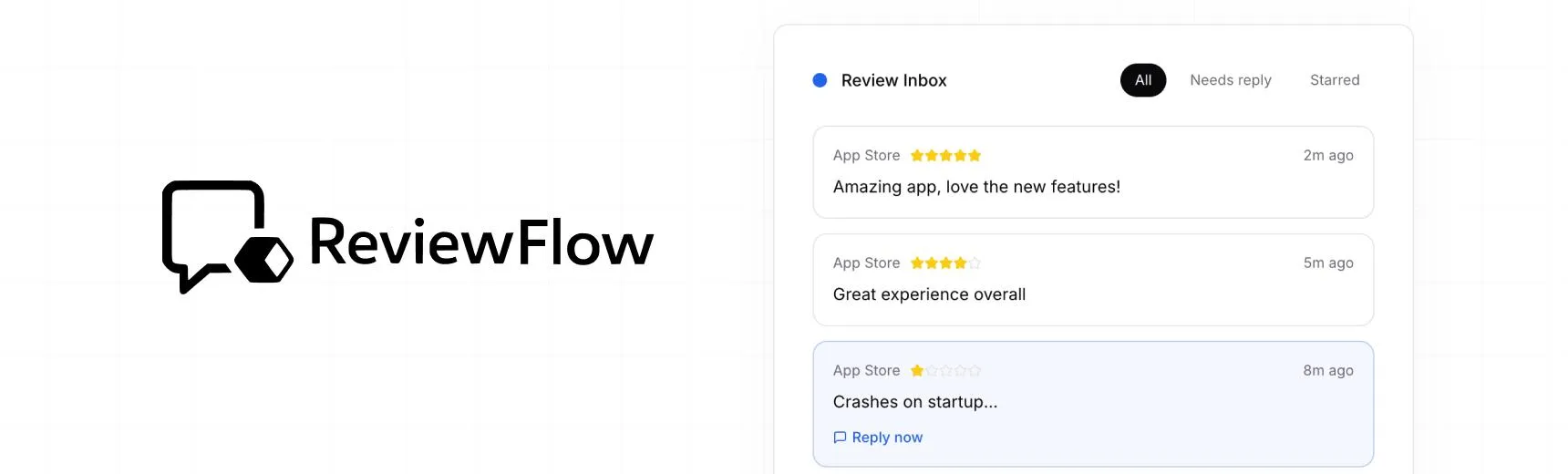
With ReviewFlow
AI-assisted workflow for faster review operations.
- Auto-cluster similar reviews (no manual tagging)
- Chat with your reviews using AI
- Reply with custom templates and bulk replies
- Draft responses faster with a consistent tone

Manual workflow
Time-consuming review handling with manual synthesis.
- Read reviews one by one
- Manually spot patterns and trends
- Write each reply from scratch
- Manually synthesize feedback for product handoff