Google Play + App Store Review Operations: One Unified Workflow for Cross-Platform Teams
Build one cross-platform app review workflow for Google Play and App Store teams with shared SLAs, tagging, escalation, and QA standards.

Running separate pipelines for iOS and Android review handling is one of the fastest ways to create operational drift. A unified Google Play + App Store review operations workflow keeps support, product, and engineering aligned on one queue, one taxonomy, and one escalation standard. Instead of debating ownership every day, teams route reviews consistently, detect incidents earlier, and respond with a stable quality bar.
This guide gives you an implementation-ready system you can deploy across both stores. You will get a decision framework, shared metrics, response QA controls, practical scenario rewrites, and a 30/60/90-day rollout plan designed for cross-platform mobile teams.
Contents
- What a unified cross-platform review workflow is
- Why separate iOS and Android review ops fail at scale
- Cross-platform operating model: one queue, one taxonomy, one SLA system
- Decision table: route, escalate, and respond across both stores
- Implementation steps for support plus product plus engineering alignment
- Practical scenarios and response rewrites for cross-platform teams
- What to avoid in unified review operations
- 30/60/90-day implementation framework
- Unified operations checklist
- FAQ
What a unified cross-platform review workflow is
A unified cross-platform review workflow is a single operating system for app review intake, triage, escalation, response QA, and reporting across Google Play and the App Store.
Snippet answer: A unified workflow combines Google Play and App Store review handling into one queue, one taxonomy, and one escalation model so teams can respond faster and resolve product risks with less handoff friction.
The workflow has six required components:
- One intake pipeline for both platforms.
- One shared tagging taxonomy across support and product.
- One severity framework (S1-S4) with explicit ownership.
- One response QA scorecard with calibration cadence.
- One incident trigger model for anomaly detection.
- One leadership report with platform split views but shared KPIs.
If any one of these is missing, “unified” usually means a dashboard label, not a real operating model.
Why separate iOS and Android review ops fail at scale
Many teams start with split ownership: iOS support specialists monitor App Store reviews while Android support specialists monitor Google Play. That feels efficient in the early stage. At volume, it creates three expensive failures.
Failure 1: inconsistent severity decisions
A login complaint may be escalated immediately on one platform and batched weekly on another. That inconsistency weakens incident detection, delays fixes, and distorts root-cause analysis.
NIST incident handling guidance emphasizes early detection and consistent triage criteria (NIST SP 800-61r2). You cannot meet that standard when platforms use different severity language.
Failure 2: duplicate workflows and higher labor cost
Separate tagging dictionaries, separate response templates, and separate escalation channels force teams to re-document the same issue in multiple places. Queueing overhead rises while accountability gets blurry.
Process standardization is a core performance lever in quality systems (see ISO 9001 principles overview: ISO). The same logic applies directly to app review operations.
Failure 3: weak signal for release impact
When iOS and Android review data are managed separately, release impact analysis becomes anecdotal. Product teams cannot confidently answer:
- Is this issue platform-specific or universal?
- Did the last release improve or harm the target journey?
- Which queue should own first response and who owns the fix?
For teams building continuous feedback loops, unify the flow with your existing app store review analysis and customer feedback insights work.
Cross-platform operating model: one queue, one taxonomy, one SLA system
The model below works for most mobile teams with shared product ownership and regionally distributed support.
One queue design
Ingest both App Store and Google Play reviews into one operational queue with required normalized fields:
- platform
- app version
- locale
- rating
- raw review text
- translated text (if needed)
- user journey stage
- assigned severity
- owner
- SLA due timestamps
Google Play and App Store expose review surfaces differently, but both support structured review monitoring and developer response management (Google Play Console reviews, Apple ratings and reviews).
One taxonomy design
Use a compact taxonomy across both platforms:
- issue_type: crash, login, billing, performance, UX, feature_request, policy
- impact_area: activation, retention, monetization, trust
- severity: S1, S2, S3, S4
- fix_owner: support, product, engineering, trust-and-safety
- response_mode: public-response, escalate-first, hold-response
Keep tag expansion controlled. If you add categories every sprint, trend reliability collapses.
One SLA model
Separate customer-facing response SLAs from internal escalation SLAs. Teams often confuse them.
- Public response SLA: how fast users get a meaningful response.
- Internal escalation SLA: how fast an owner receives actionable context.
For high-severity clusters, internal escalation should trigger before public response drafting is finalized.
One QA model
Use one QA scorecard across both stores. Calibrate weekly with mixed examples (iOS and Android in the same review set). This prevents platform-specific tone drift and inconsistent policy interpretation.
For teams that already run a response quality process, align with your review management workflow and reply to app store reviews standards.
Decision table: route, escalate, and respond across both stores
Use this default table and adapt only thresholds, not the structure.
| Signal pattern | Severity | Primary owner | Internal escalation SLA | Public response SLA | Cross-platform action |
|---|---|---|---|---|---|
| Crash-on-launch mentions across either platform in <6h | S1 | Engineering on-call | 30 minutes | 2 hours | Open incident, group by version + OS, publish consistent holding response |
| Login failures after release with repeat wording | S1 | Engineering + product | 30 minutes | 2 hours | Compare iOS and Android rate deltas, assess rollback risk |
| Billing/renewal confusion with rising 1-2 star share | S2 | Support lead + PM monetization | 4 hours | 8 hours | Draft policy-safe response, route checkout UX fixes |
| Performance degradation tied to device class | S2 | Product ops + engineering | 4 hours | 12 hours | Segment by OS version and device family before prioritization |
| Repeated UX friction on same flow over 7 days | S3 | Product ops | 2 business days | 24 hours | Add to sprint triage with quantified theme evidence |
| Isolated feature requests with low recurrence | S4 | Support ops | Weekly | 48-72 hours | Acknowledge and backlog with low urgency |
Tie-break rule for ambiguous reviews
When severity is unclear, escalate one level up if any of the following are true:
- revenue pathway risk (subscription, purchase, upgrade),
- account access blocked,
- issue frequency doubled in 24 hours,
- post-release correlation is plausible.
This bias reduces false negatives in incident detection and is usually cheaper than delayed response.
Implementation steps for support plus product plus engineering alignment
Step 1: define shared ownership map
Create a single ownership matrix for issue classes and approval authority. Every category needs a default owner and a backup owner.
Minimum owner map fields:
- issue_type
- severity tier
- default owner role
- backup role
- escalation channel
- approval threshold for public response in incidents
Do not deploy tooling before ownership is explicit.
Step 2: normalize platform data into one event schema
Map iOS and Android review payloads into one schema before triage. Add platform as a dimension, not as a workflow split.
Recommended schema controls:
- immutable review_id + platform key
- timestamp normalization to UTC
- locale and translation status
- release version mapping
- lifecycle states: new, triaged, escalated, replied, closed
This gives clean downstream reporting and avoids duplicate processing.
Step 3: launch a cross-platform triage ritual
Run one triage ritual, not two.
Suggested rhythm:
- High volume apps: every 60 minutes.
- Medium volume apps: 3 cycles per day.
- Low volume apps: 2 cycles per day plus anomaly alerts.
Each cycle outcome must include:
- reviews processed,
- S1/S2 count,
- unassigned rate,
- median routing time.
Step 4: enforce response QA and calibration
Apply one QA rubric to both stores. Use observed behavior anchors, not subjective comments.
Weekly calibration pack should include:
- policy-sensitive billing examples,
- multilingual sentiment ambiguity,
- release-related incident wording,
- edge cases with sparse details.
Quality management literature repeatedly shows calibration improves inter-rater reliability and output consistency (ASQ quality resources).
Step 5: implement incident detection rules
Define alert thresholds tied to trend velocity, not just count.
Practical threshold examples:
- Crash mentions +200% vs prior 24h baseline.
- Login failure mentions >=8 within 2h.
- Billing complaint share >15% of low-star reviews in 24h.
Add guardrails for false alarms:
- require minimum unique review count,
- require version clustering evidence where possible,
- allow manual downgrade with rationale note.
Step 6: create one leadership reporting layer
Keep one weekly and one monthly report with platform split and combined views.
Core KPIs:
- median routing time by severity,
- SLA hit rate (public and internal),
- recurring issue theme share,
- escalation resolution time,
- repeat complaint rate after closure,
- rating trend by platform and release cohort.
A single report prevents metric gaming by platform teams.
Practical scenarios and response rewrites for cross-platform teams
Scenario 1: login outage appears first on Android, then iOS
Raw signal: Android reviews mention OAuth timeout for 40 minutes. iOS starts showing similar wording one hour later.
Wrong move: Treat as Android-only and delay iOS escalation.
Correct move: Classify as S1 cross-platform risk, escalate immediately, compare version and auth service dependencies.
Weak public response: “Please reinstall the app and try again.”
Improved public response: “Thanks for flagging this. We’re actively investigating a login issue affecting some users and have prioritized a fix. If you contact support with app version and device type, we can help you faster while we resolve the root cause.”
Why it works:
- acknowledges impact,
- avoids unverified workaround claims,
- requests useful diagnostics,
- aligns across both stores.
Scenario 2: billing complaints rise only on iOS renewals
Raw signal: Spike in 2-star reviews mentions unexpected renewal timing on iOS only.
Wrong move: Route as generic support tickets without monetization owner.
Correct move: Classify S2, assign support + PM monetization, add policy-safe explanation template, prioritize onboarding and subscription copy review.
Weak response: “Renewals are managed by the store.”
Improved response: “Sorry for the confusion on renewal timing. We’re reviewing this flow and want to help immediately. Please contact support with your subscription details so we can verify your account and clarify options based on your plan.”
Why it works:
- avoids blame-shifting,
- confirms ownership,
- drives secure account resolution.
Scenario 3: performance complaints split by device class
Raw signal: iOS reviews cite battery drain; Android reviews cite lag on older devices.
Wrong move: Treat as one performance bug with one generic response.
Correct move: Keep one incident thread with platform-specific subtracks, assign engineering owners by component, publish tailored but tone-consistent responses.
This preserves unified operations while still respecting platform nuances.
What to avoid in unified review operations
Avoid these patterns. They cause most cross-platform failures.
- Platform-specific severity scales.
- Separate response tone guides by store.
- Escalation channels with no shared handoff template.
- “Other” tags growing beyond 5% of total volume.
- Reporting only response speed and ignoring quality.
- Public replies that promise fixes without engineering confirmation.
- Weekly-only triage for high-volume apps.
- Manual copy-paste between support and product systems.
If your team is currently split, start by standardizing taxonomy and escalation criteria before changing tools.
30/60/90-day implementation framework
Days 1-30: standardize and stabilize
Objectives:
- Build shared taxonomy and owner matrix.
- Normalize iOS and Android review fields into one queue.
- Define severity and SLA policy.
- Ship first response QA rubric.
Success criteria:
-
95% of new reviews tagged in shared taxonomy.
- <3% unassigned reviews at cycle close.
- Weekly calibration running with documented outcomes.
Days 31-60: operationalize and automate
Objectives:
- Launch anomaly alert rules for S1/S2 patterns.
- Add structured escalation templates.
- Start platform-split plus combined KPI dashboard.
- Roll out coaching loop from QA results.
Success criteria:
- Median S1 routing time under 15 minutes.
- Public response SLA adherence >90% for S1/S2.
- QA pass rate trend improving week over week.
Days 61-90: optimize and govern
Objectives:
- Refine thresholds using false-positive analysis.
- Link review themes to roadmap and release retrospectives.
- Formalize monthly leadership report and decisions log.
- Run post-incident review process for major spikes.
Success criteria:
- Recurring issue re-open rate reduced by at least 20%.
- Escalation resolution time reduced by at least 15%.
- Clear evidence of review signal informing product decisions.
Unified operations checklist
Use this checklist at launch and in weekly audits.
- One cross-platform intake queue is active.
- Shared taxonomy is published and versioned.
- Severity matrix and SLAs are documented.
- Owner matrix includes backup roles.
- Incident thresholds are active and tested.
- Public response templates are policy-safe.
- QA scorecard calibration runs weekly.
- KPI dashboard includes platform and combined views.
- Leadership report cadence is scheduled.
- “What changed” notes are logged after each release.
FAQ
Should we ever keep separate review workflows by platform?
Only for temporary transition periods. Permanent split workflows usually create inconsistent severity handling and duplicated operational cost.
What is the most important KPI for a unified review operation?
Start with median routing time for S1/S2 plus SLA hit rate. Those two metrics show whether your workflow can detect and move critical issues quickly.
How many tags should a review taxonomy have?
Keep top-level issue types under eight and severity fixed at four tiers. Overly granular tags reduce consistency and degrade trend quality.
How do we handle multilingual reviews in one workflow?
Use one queue with translation status fields and locale metadata. Keep severity and owner logic language-agnostic, then route response drafting to language-capable reviewers.
How often should we calibrate response QA?
Weekly is the practical default. If volume is high or staffing is changing, run two shorter calibration sessions per week until scoring consistency is stable.
Do we need different response templates for App Store and Google Play?
You can adapt formatting constraints by platform, but tone, quality rules, and escalation promises should remain consistent across both stores.
Build your cross-platform review ops system before scale forces you
A unified Google Play + App Store review operations workflow gives teams one truth source for triage, escalation, and response quality. You reduce duplicated work, detect incidents faster, and turn review noise into product signal with less friction. Start by standardizing taxonomy and ownership this week, then implement the 30/60/90-day framework so cross-platform review handling becomes a repeatable operating system, not an inbox fire drill.
If you want a faster rollout, ReviewFlow helps you centralize app store feedback, enforce consistent routing logic, and maintain response quality without building separate pipelines for each platform.
Save hundreds of hours handling app reviews
See every App Store review in one place, respond faster, and turn feedback into clear product decisions.
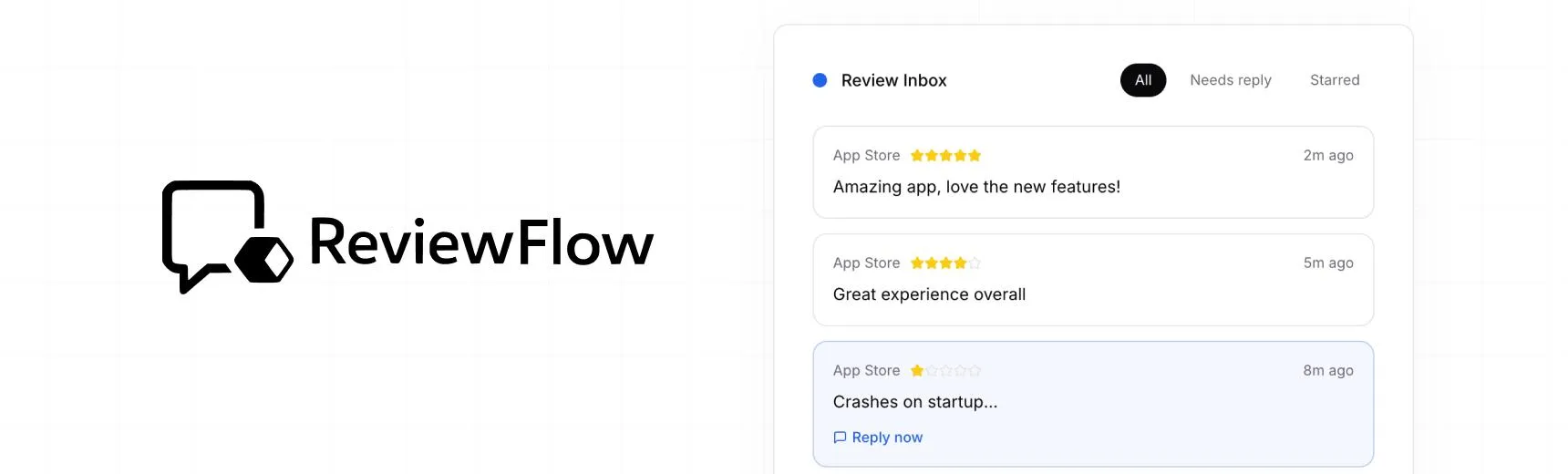
With ReviewFlow
AI-assisted workflow for faster review operations.
- Auto-cluster similar reviews (no manual tagging)
- Chat with your reviews using AI
- Reply with custom templates and bulk replies
- Draft responses faster with a consistent tone

Manual workflow
Time-consuming review handling with manual synthesis.
- Read reviews one by one
- Manually spot patterns and trends
- Write each reply from scratch
- Manually synthesize feedback for product handoff